
Priya is a computer vision engineer at MedScan Diagnostics in Bangalore. She's building a CNN to classify CT scan images as normal or abnormal. But before she can train the network, she needs to load the images, understand their structure (height, width, color channels), and preprocess them. She learns that a 512x512 RGB image is actually a 3D array: 512×512×3 (height × width × 3 RGB channels). She uses Pillow to load .dcm files, splits the RGB channels, converts to grayscale where needed, and reshapes into tensors for PyTorch. Understanding pixels, channels, and color spaces is the foundation of every vision model.
Meet the data: CIFAR-10
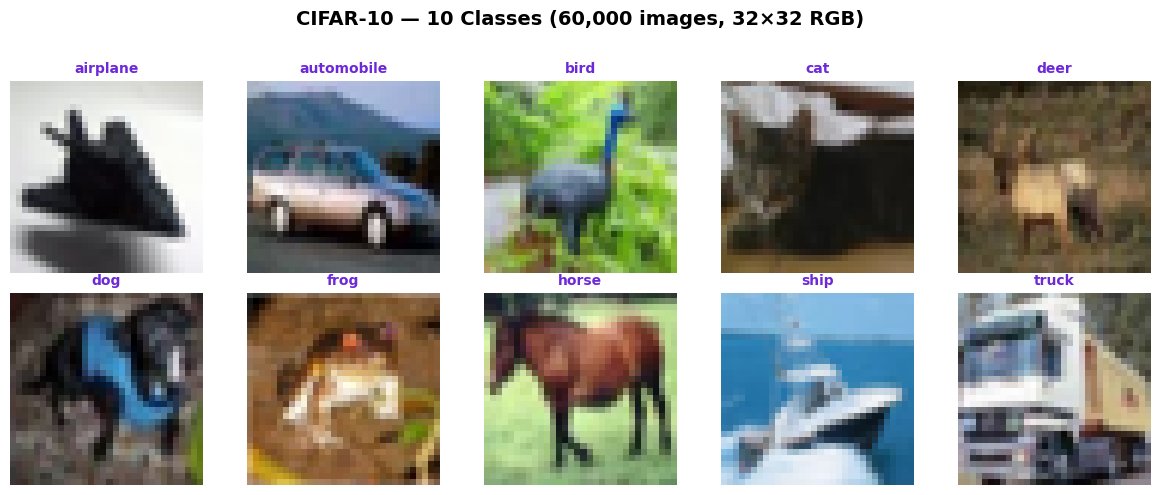
CIFAR-10 is the canonical benchmark for image classification fundamentals: 60,000 tiny (32×32) color images, 10 object classes (airplane, automobile, bird, cat, deer, dog, frog, horse, ship, truck). 50,000 training, 10,000 test. Each image is RGB: 3 channels (red, green, blue).
What is a digital image?
A digital image is a 2D array of pixels: A pixel (picture element) is the smallest unit. Each pixel has a value (or values, if color) that represents intensity or color at that location.
Grayscale (single channel): A grayscale image is H×W (height × width). Each pixel is a single integer, typically 0-255 (uint8 in NumPy). 0 = black, 255 = white, 128 = gray.
Color (RGB, 3 channels): A color image is H×W×3. Each pixel has 3 values (red, green, blue), each 0-255. Red pixel: [255, 0, 0]. Green: [0, 255, 0]. Blue: [0, 0, 255]. Cyan (red + green): [0, 255, 255].
Data type: Typically uint8 (unsigned 8-bit integer), range 0-255. Deep learning often normalizes to float32, range [0, 1] or [-1, 1].
Resolution: A 512×512 image has 262,144 pixels. A 1920×1080 image (Full HD) has 2,073,600 pixels. Priya's CT scans are often 512×512 or 1024×1024.
Loading images with Pillow (PIL)
Pillow (Python Imaging Library) is the standard for loading and manipulating images. It's simple, Pythonic, and works with JPEG, PNG, BMP, TIFF, and more.
Pillow's Image.open() returns a PIL Image object. Convert to NumPy with np.array() for mathematical operations. Shape is always (H, W, C) for color images, (H, W) for grayscale.
Loading images with OpenCV (cv2)
OpenCV is the industry workhorse for computer vision. It's faster than Pillow and has powerful image processing functions. Critical note: OpenCV uses BGR color order, not RGB!
OpenCV is fast, but the BGR trap is legendary. Always convert BGR to RGB if using OpenCV with matplotlib or standard color-space analysis. Use cv2.cvtColor() to swap channels.
Color channels: decomposing RGB
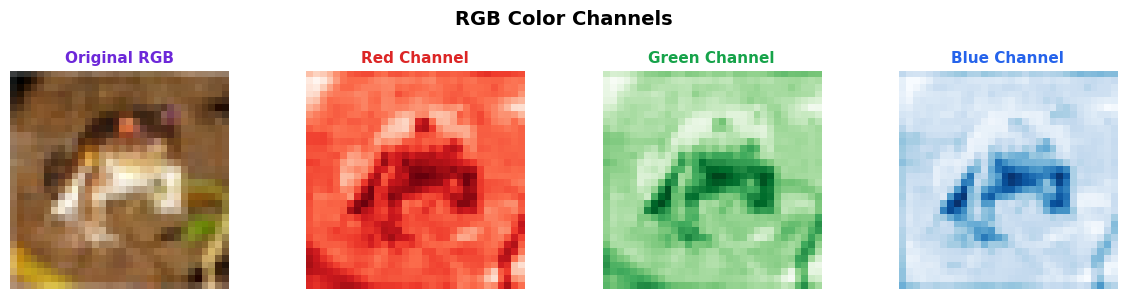
An RGB image is three 2D arrays stacked: a red channel, a green channel, a blue channel. Each channel is H×W, values 0-255. By decomposing, we see how much of each color is in each pixel.
Color spaces: RGB, Grayscale, HSV
RGB is not the only way to represent color. Different color spaces emphasize different aspects (brightness, saturation, hue). Some are better for specific tasks.
RGB: Red, Green, Blue. The standard for displays and cameras. Each channel is independent brightness.
Grayscale (single channel): Converts RGB to a single intensity value. Formula: Gray = 0.299 × R + 0.587 × G + 0.114 × B (luminance weighting). Discards color info, but simpler for certain tasks (edge detection, handwriting).
HSV (Hue, Saturation, Value): Hue = color (0-360 degrees), Saturation = color intensity (0-100%), Value = brightness (0-100%). Better for color-based segmentation (e.g., "find all red pixels").
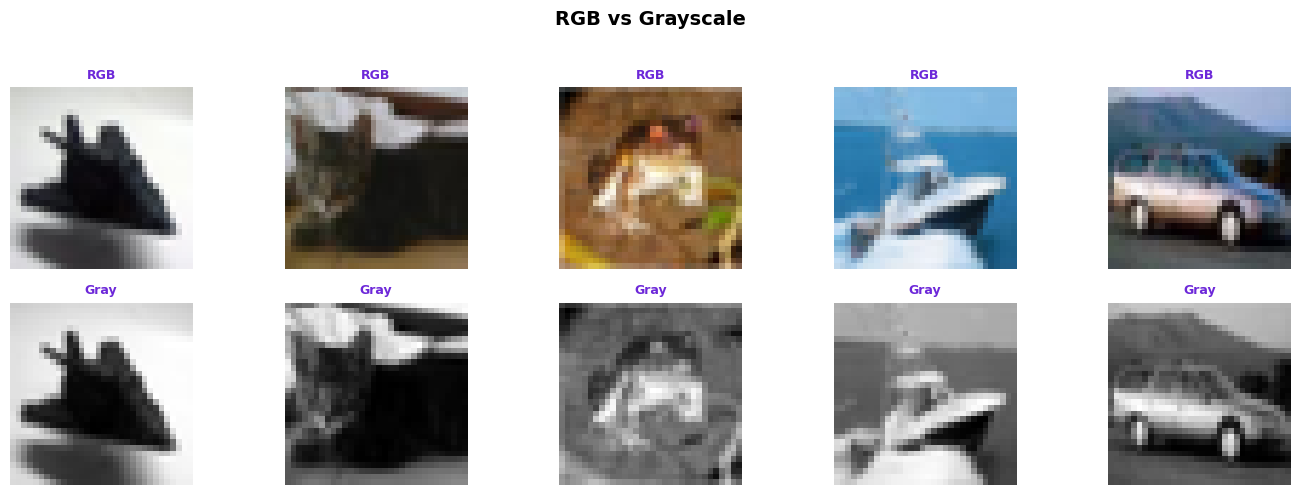
Image as tensors: numpy arrays to PyTorch
NumPy arrays work for data loading and preprocessing. But deep learning frameworks (PyTorch, TensorFlow) expect tensors with a specific channel-first convention: (C, H, W) for single images, or (B, C, H, W) for batches (B = batch size).
The permute operation rearranges dimensions. Always check your shapes: (H, W, C) for CPU preprocessing, (C, H, W) for CNN. Batch size goes first: (B, C, H, W).
How AI systems use this
Every computer vision model (ResNet, Vision Transformer, YOLOv8) starts here: load image, split into channels, reshape to tensors. Priya's CT scan classifier at MedScan Diagnostics loads 512x512 grayscale images, normalizes to [0, 1], reshapes to (1, 1, 512, 512) for batch inference. For ImageNet models, RGB normalization uses per-channel means (0.485, 0.456, 0.406) and stds (0.229, 0.224, 0.225). Understanding pixels, channels, and tensors is the foundation before any convolution happens.
Also used in...
Domain Spotlight
Task: Load CIFAR-10 image (32×32×3), decompose into R, G, B channels, convert to grayscale, and reshape to (1, 1, 32, 32) tensor for a single-channel CNN. Print all shapes.
Hint: Use PIL to load, NumPy to decompose (slicing [: , :, 0] for red), cv2.cvtColor for grayscale, torch for tensor and reshape via unsqueeze(0) twice.
Interview questions: test your understanding
Quiz: 5 questions to test your knowledge
Cheatsheet: image fundamentals quick reference
| Concept | Definition | Shape/Format | Example |
|---|---|---|---|
| Pixel | Smallest unit of image | Single value (grayscale) or 3 (RGB) | [128] or [255, 0, 0] |
| Grayscale | Single-channel image | (H, W) | (256, 256) |
| RGB | Red, Green, Blue channels | (H, W, 3) channel-last | (256, 256, 3) |
| Tensor (PyTorch) | Channel-first convention | (B, C, H, W) for batch | (16, 3, 224, 224) |
| uint8 | Unsigned 8-bit integer | 0-255 range | np.uint8 |
| HSV | Hue, Saturation, Value | (H, W, 3) | Better for segmentation |
| OpenCV BGR | OpenCV default color order | (H, W, 3) but BGR! | Use cv2.cvtColor to RGB |
Common mistakes: what breaks and how to fix it
img_rgb = cv2.cvtColor(img_bgr, cv2.COLOR_BGR2RGB) before visualization or analysis.img_tensor.permute(2, 0, 1) to convert channel-last to channel-first. For batch: unsqueeze(0).img / 255.0 or z-score: (img - mean) / std.Key takeaways
Pixels, channels, and color spaces are the foundation of every vision model. Priya at MedScan Diagnostics loads CT scans, decomposes channels, converts to grayscale, and reshapes to tensors—this exact workflow is the starting point before building CNNs.
- Pixels are the smallest unit: A (256, 256, 3) image contains 196,608 values. Each matters.
- Channels are stacked 2D arrays: RGB is three separate (H, W) layers combined.
- Pillow loads as (H, W, C), PyTorch expects (C, H, W): Always permute after loading.
- OpenCV uses BGR, not RGB: Convert immediately to avoid color inversions.
- Normalization is critical: Uint8 (0-255) causes gradient issues. Normalize to [0, 1] or [-1, 1].
- Choose color spaces by task: RGB for general, grayscale for medical, HSV for segmentation.
You've mastered image fundamentals.
Now build vision models that solve real problems.
Join the Best AI Program: The AI-Era Agentic Engineer — 5 months, fully online, with placement assistance. Week 1 is free.
Explore The AI-Era Agentic Engineer →